
Free monthly shift schedule template for Excel, and how to fill it in without mistakes
Almost every rota template you can download is an empty grid: you get the boxes and you keep the job of adding everything up. This one comes with the formulas already in place, so the moment you type “M” in a cell, that person’s monthly hours recalculate on their own.
Spreadsheets are still the most common way to build a rota, and for a small team there is nothing wrong with that. The trouble starts when the template does not calculate anything: if you have to count each person's hours by hand, sooner or later you will stop counting them, and that is where unplanned overtime and end-of-month arguments come from.
This template takes that part off your hands. You can download it without leaving an email or signing up, open it in Excel, LibreOffice or Google Sheets, and use it as it is or change the shifts.
Download the template
No form, no email: the file downloads straight away. It works in Excel 2010 and later, LibreOffice Calc and Google Sheets (upload it to Drive and open it there; the formulas survive).
What is inside
Four sheets, each doing one specific job.
| Sheet | What it does |
|---|---|
| Schedule | The month's grid: up to twelve people and all 31 days. Type the month and year at the top and the dates and weekday names fill in by themselves; in a 30-day month the last column stays blank. |
| Shifts | The codes you use (M morning, A afternoon, N night, S split, O off, H holiday, K sick leave) with their start and end times. The duration works itself out. |
| Summary | Per person: hours this month, hours their contract calls for, the gap between the two, days worked, nights, Sundays and a short-rest warning. |
| Instructions | Five steps and, more importantly, the list of what the template cannot check. |
Each day cell has a drop-down with the codes, so you never have to type or remember them, and a stray lowercase letter cannot quietly break your totals.
How to fill it in within ten minutes
The order matters: start by typing names into day cells and you will be redoing it.
- Month and year in cells B1 and B2 of the Schedule sheet. That alone builds your calendar.
- Your real shifts on the Shifts sheet. If you open at 9 and close at 9 with two shifts, change the times for M and A and delete what you do not use. The codes can be whatever you like.
- Your team in column A, their role in column B and their contracted weekly hours in column C. That third column is what lets the summary warn you when somebody goes over.
- Fixed shifts first: whoever always works mornings, whoever is off at weekends. That is 70 % of the rota and it takes two minutes.
- Then the rest, watching the summary as you go: if someone's difference turns red, you have given them more hours than their contract allows.
The formulas doing the work
If you want to change them, these are the three that matter. They are written to behave the same in Excel, LibreOffice and Sheets, with no modern functions that break on older versions.
The length of each shift, including the ones that cross midnight. A shift from 23:00 to 07:00 does not last −16 hours, it lasts 8, and that backwards subtraction is the classic homemade-template bug:
=IF(TIMEVALUE(D2)>TIMEVALUE(C2), (TIMEVALUE(D2)-TIMEVALUE(C2))*24, (1-TIMEVALUE(C2)+TIMEVALUE(D2))*24)
Each person's monthly hours. Instead of thirty-one chained VLOOKUPs, a single SUMIF inside a SUMPRODUCT walks the whole row and adds up the hours behind every code:
=SUMPRODUCT(SUMIF(Shifts!$A$2:$A$8, D6:AH6, Shifts!$E$2:$E$8))
The hours their contract calls for in that particular month, which are not the same in February as in August:
=ROUND(C6/7*DAY(EOMONTH(DATE($B$2,$B$1,1),0)),1)
On 40 hours a week, a 31-day month comes to 177.1 hours; a 28-day one, 160. Compare everything against 160 and you are seventeen hours out every long month.
The seven mistakes the sheet will not warn you about
Here is the honest part. The template adds up correctly, but there are seven things no sensible spreadsheet can check for you, and they are exactly the ones that become a problem on Saturday morning.
- Two people with the same role off on the same day. The sheet does not know you always need a cook on the floor: it sees cells, not coverage.
- Someone working shifts less than eleven or twelve hours apart. This is the only one you can half-watch: the summary counts how often a person finishes an afternoon and starts the next morning. Every other combination goes unnoticed.
- Going over the annual hours rather than the monthly ones. You can balance twelve perfect months and still break the yearly average.
- A shift landing on approved holiday that lives somewhere else, usually in an email.
- A swap agreed between colleagues that never reaches the sheet. If the deal happens in a private chat, your rota still says something different.
- The file you have open not being the one your team has. The moment you export to PDF and send it, two versions exist.
- Planned hours not matching the hours actually worked. The sheet records the plan; clock-ins live elsewhere and the two rarely agree.
None of those seven is fixed by a better formula. They are fixed when the rota stops being a file and becomes something that validates itself before it is published.
When the spreadsheet stops paying off
With five or six people, one shift and little rotation, this template is more than enough. The line usually sits in two places: when the second daily shift appears, because the number of combinations explodes, and when you pass seven or eight people, because you can no longer hold in your head who was off last weekend.
Past that point it is not that Excel fails: it is that the time you spend building and fixing it starts to cost more than any tool. Five hours a week is around 240 hours a year.
How Sonnical handles it
Sonnical starts from the same things the template needs (your shifts, your roles, everyone's contracted hours) and takes care of the two parts a spreadsheet cannot: it builds the rota, and it validates it before you publish.
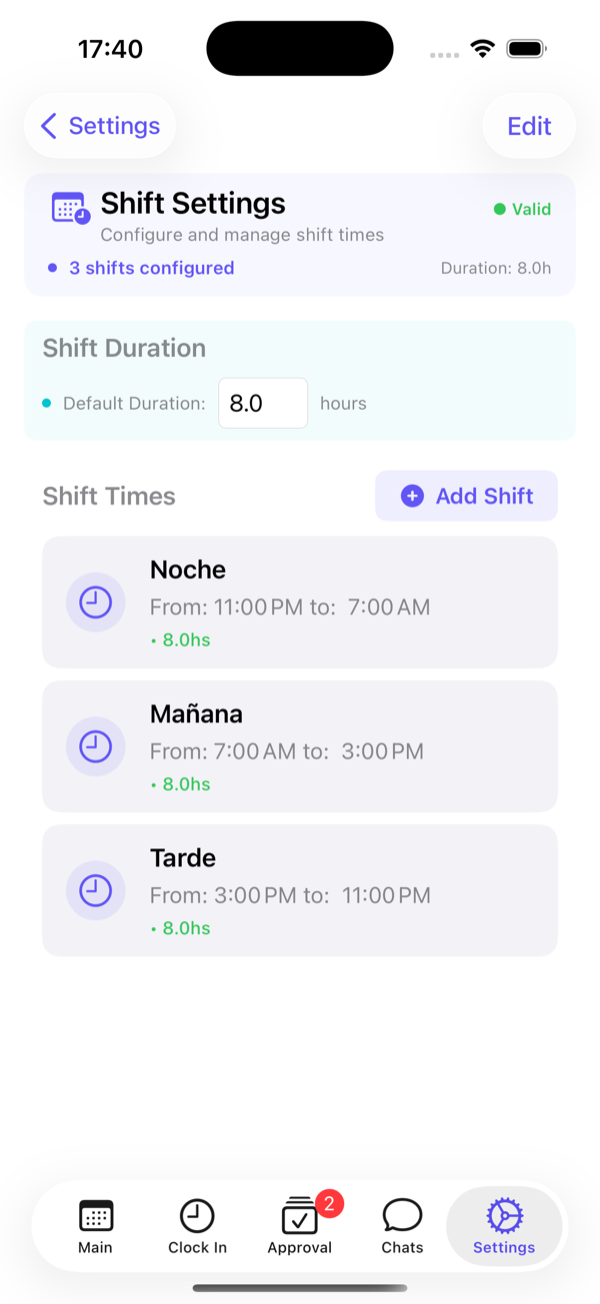
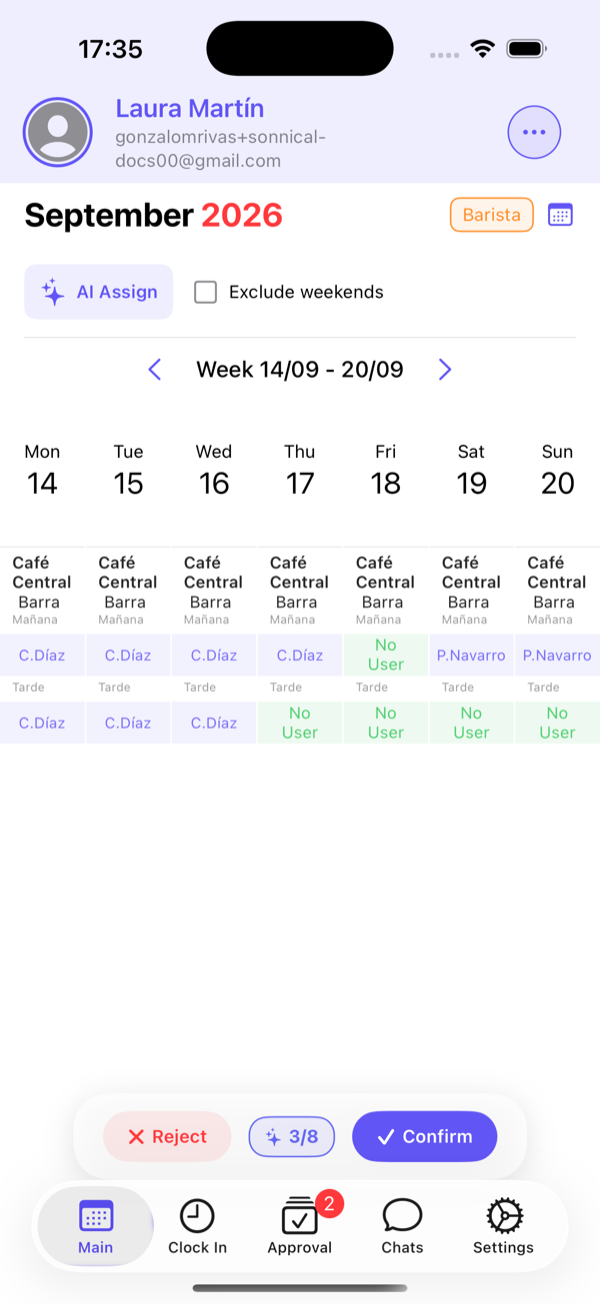
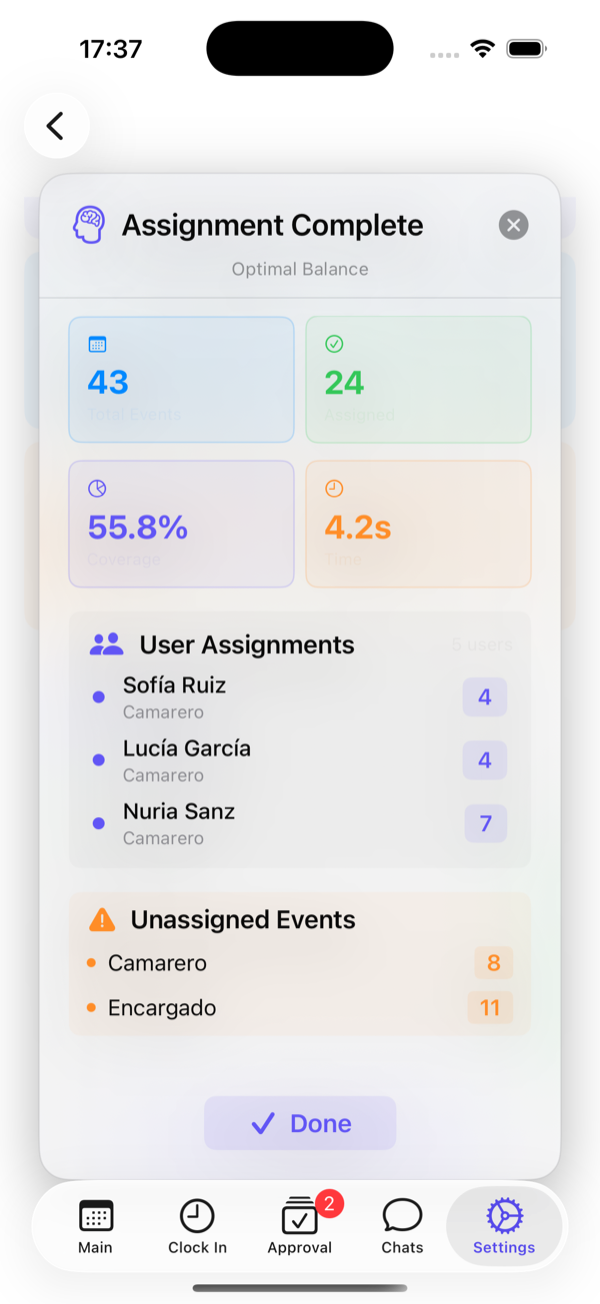
It checks that nobody goes over their hours, that shifts do not overlap, that rest periods hold and that every role is covered; and when you publish, each person sees their shift on their phone, with no PDF in between. Free for up to six employees, which is roughly where the spreadsheet is still worth it.
And if you would rather keep the sheet, keep it: that is what the link above is for, with nothing asked in return.
Frequently asked questions
Is the template really free?
Yes. It downloads directly, with no form, no email and no sign-up. Use it, change it and share it with whoever you like.
Does it work in Google Sheets and LibreOffice?
Yes. The formulas use functions that exist in all three programs (SUMPRODUCT, SUMIF, EOMONTH, TIMEVALUE) and avoid dynamic array functions, which are the ones that tend to break when an Excel file is opened elsewhere. For Sheets, upload it to Drive and open it from there.
How do I count a night shift that crosses midnight?
The template already does it: when the end time is earlier than the start time, it adds the hours up to midnight plus the ones after it. A shift from 23:00 to 07:00 counts as 8 hours rather than a negative subtraction.
How many people does it hold?
Twelve rows, which is about as far as a spreadsheet stays manageable. You can add more by copying a whole row (the formulas adjust themselves), but past that number with more than one shift a day, building it by hand starts eating several hours a week.